
Overview


v40.40 Act III: Battle Royale Update Notes[]
Reinforcements have arrived! Overwatch heroes have joined the fight in Battle Royale, an overhauled Zero Build, Reload and Blitz to answer The Foundation’s call for reinforcements against the Ice King. Read on for more details, including the latest fixes and improvements.

Fortnite x Overwatch
Fortnite x Overwatch[]
Busan Sanctuary, Hanamura Courtyard, King's Row Tower, and bases inspired by Watchpoint: Gibraltar are now on the Island. At King's Row Tower, a Payload spawns each match after it unlocks in the Showdown, rewarding Overwatch loot to everyone who escorts it home.
Tracer and Mercy also bring their signature weapons to the loot pool:
- Pulse Pistols puts you in first-person mode, lets you rewind back a few seconds to your previous position and undo damage taken, and lets you Blink to zip short distances.
- Caduceus Staff latches a healing beam onto teammates to restore their health and shields, and while it's equipped you can glide through the air.
Competitive Notes
Competitive Notes[]
With the FNCS Major Summit LAN coming up, we’re keeping the Competitive Battle Royale meta consistent by maintaining a loot pool similar to the previous game update. This means:
- Tracer's Pulse Pistols and Mercy's Caduceus Staff are disabled
- The Payload Rift Anomaly is disabled
- Skyline Deployers and FlowBerry Mist Grenades will remain in the Competitive loot pool
Win Rivalries for your team in the Act III Showdown to unlock new updates on the Island and items for your Locker:
- Overwatch Payload Rift Anomaly
- Orca MV-261 Dropship Landmark
- Overwatch Cache Chests
- Hero Cache Chests
- Overwatch Mercy's Crest Spray

Trialing Major Zero Build Changes
Trialing Major Zero Build Changes[]
From infinite tactical sprint while your Pickaxe is out, new Pocket Items, and more… Zero Build just got a major refresh for the remainder of Chapter 7 Season 2

- Everyone now drops in with a Pistol, a Small Shield Potion and a Pocket Item
- Pocket Items are unlimited-use items with cooldowns that boost mobility and survivability
- Choose from Shockwave Grenades, Med Mist Grenades and Shield Bubbles
- Swap your equipped Pocket Item at Vending Machines around the map
- Reach the ground faster after dropping from the Battle Bus. Don’t forget to redeploy your Glider in time!
- Lethal fall damage now leaves you at 1 HP and removes all shields instead of eliminating you in Unranked matches
- Redeploy your Glider whenever you’re high enough in the air to travel further
- Unlimited Stamina while holding your Pickaxe
- Elims now restore your Overshield
- Environmental structures and objects now provide stronger cover
Be sure to check out the full breakdown here and tell us what you think about all of the new changes!
✅ BR Bug Fixes & Improvements
✅ BR Bug Fixes & Improvements[]
General[]
- Fixed an issue where Quests currently available in the Quests tab incorrectly appeared as completed
- Laufey’s dress moves more consistently, and won’t block your visibility as much while playing
- You can again join other players’ group Emotes (e.g. Shock Grip, Death Rockers)
- Kafka’s Sword no longer creates a bright flash when hitting objects at high FPS in Performance Mode
- Fixed Ohm’s Perch Back Bling animations not playing after gliding for the first time in a match
Gameplay / UI[]
- Being eliminated from DBNO while self-reviving no longer causes the camera to get stuck after rebooting
- You can again sprint out of a crouch after hurdling through a window
- You can again scroll through Quest categories without the Quest bar collapsing automatically
Note: Shoulder Riding will remain disabled for now, but we'll let you know if it returns in the future.
PC[]
- Performance Mode now automatically chooses the best DirectX rendering path for your device to improve stability and performance
- Slightly improved game startup times on some NVIDIA video cards by reducing DLSS initialization time
- Auto Super Resolution now scales correctly at more fullscreen resolutions on supported ARM laptops
- Improved texture rendering on the Intel HD 5500 video card in Performance Mode
Mobile[]
- Improved aim assist on touch input so it’s easier to track and hit distant or fast-moving targets while aiming
- You can now tap the Exit button instead of needing to hold it to leave Vehicles
- Tapping the Self-Throw button now throws items at your feet instead of showing the throwing arc
- Auto-Interact now correctly opens chests while running toward them
- You'll no longer accidentally re-enter Ziplines after hopping off when Auto-Interact is enabled
- Resolved a file corruption error that appeared when updating the game on some iOS devices
- Graphics quality settings no longer reset after dropping into a BR match
- Resolved an issue where the FPS setting wouldn't save after a game update on some iOS devices
- Reduced Megara’s dress clipping when previewing the Outfit in the Locker
- The Omnitrix Pick's Ampfibian Style now displays consistently after emoting on some Android devices
- Resolved a delayed text chat resizing when sending long messages quickly
- The Back button now appears correctly after reaching the end of a conversation, no longer skipping the last dialogue line
- Added a missing Confirm button when a player has 0 currency and no items selected
For other fixes, improvements and known issues in v40.40, check out this post.
We’re keeping an eye on reports across social media and community spaces - please keep them coming as we work to fix them.
See you in the new game update!
The BR Dev Team
v40.40 Reload Update Notes
Update v40.40

| Date |
|---|
| May 14th 2026 |
 Previous Previous |
Next  |
|---|---|
| Update v40.30 | Update v41.00 |
v40.40 Reload Update Notes[]
Hey everyone! Today’s update introduces two new weapons, some familiar unvaults, more Elite Stronghold tune-ups and general bug fixes. More details below: 🔄 Reload Loot Pool Updates in Unranked. Ranked coming 5/18 New Weapons Tracer's Dual Pistols use light ammo and come with Recall and Blink. Rewind a few seconds or zip short distances. Mercy's Caduceus Staff locks onto teammates with a healing beam that restores health and shields. While equipped, you can glide through the air.
UNVAULTED OVERWATCH-THEMED ITEMS[]
- Chaos Reloader (Roadhog)
- Chains of Hades (Roadhog)
- Arc-Lightning Gun (Winston)
- Shield Bubble (Winston)
- Exotic Jet Pack (Pharah)
- Rocket Launcher (Pharah)
- Twin Hammer Shotguns (Reaper)
- Void Oni Mask (Reaper)
- Reaper Sniper Rifle (Widowmaker)
- Grappler (Widowmaker)
- Shockwave Hammer (Reinhardt)
- Guardian Shield (Reinhardt)
ADDITIONAL UNVAULTS[]
- Deadeye DMR (Kit 1)
- Tracking Visor (Kit 1)
- Killswitch Revolvers (Kit 2)
- Bass Boost (Kit 2)
- Lightrider's Surf Cube (Kit 3)
- Ice Gauntlets (Kit 3)
- The Kneecapper (Kit 4)
- Baron's Double Down Pistol (Kit 4)
ELITE STRONGHOLD MAP UPDATES[]
- Elite Stronghold has been re-enabled in the Unranked map rotation.
- Top Tier Training’s ‘Arena’ room has a chance of spawning new interior layouts when first entering the map.
- Increased loot density by adding 180 chests and floor loot, including:
- Increased loot at Chiseled Cubes
- Increased loot at Elite Experiments
- Increased loot in more areas between POIs
- Added trees on the riverside of the island to reduce lines of sight from the cliffs
- Added trees around Chiseled Cubes to reduce lines of sight from the surrounding area
- Added tunnels to the river side bunkers for additional rotation options when the Storm forces you to higher ground


✅ Reload Bug Fixes & Improvements
- You should no longer see inverted controls and camera jitter when loading into Elite Stronghold in Unranked
- Resolved an issue in Unranked where the safe zone of the circle and the Storm were not accurately displayed
- The Grappler has been re-enabled, and using it after sliding should no longer cause hitches
- AoE effects now properly apply within certain bushes
- Fixed an issue where damage numbers showed individual hits instead of the cumulative damage number format
For other fixes, improvements and known issues in v40.40, check out this post. We’re keeping an eye on reports across social media and community spaces - please keep them coming as we work to fix them. See you in the new game update!
The Reload Dev Team
LEGO® Fortnite Odyssey - STAR WARS Galactic Builds
Update v40.40

| Date |
|---|
| May 14th 2026 |
| Previous |
|---|
| Update v40.30 |
LEGO® Fortnite Odyssey - STAR WARS Galactic Builds[]
 See Also: Communities
Din Djarin and Grogu have come to you!
Din Djarin and Grogu have come to you![]
- The legendary Mandalorian and galaxy’s cutest icon, Grogu, has touched down in your world. Complete their vacation tasks, and you'll unlock sleek hovering Vehicle Blueprints and Guided Builds as your reward!
- FYI: Din Djarin and Grogu will only appear in worlds with a player-built village.
- New Journals and rewards unlock each week throughout May, on these dates: 5/15–5/16, 5/22–5/24, and 5/29–5/30
- Din Djarin and Grogu can be recruited as permanent villagers during their stay, but if you don't recruit them before the new LEGO Fortnite update drops, they'll pack up and leave your world for good.
6 hovering Vehicle Blueprints up for grabs:
4 Guided Builds inspired by Tatooine's iconic spaceport:
Introducing the Hover Brick!
Introducing the Hover Brick![]
- A brand-new toy inspired by the Star Wars universe! Snap it onto your creations and watch them glide effortlessly across the landscape. Land traversal will never feel the same again.
- The Hover Brick counteracts gravity, letting your builds glide effortlessly above the ground. Flip the switch and watch your creations rise!
- Track down The Mandalorian and strike up a conversation. He'll show you the ropes of the brand-new Hover Brick! Once you've chatted with Mando, you'll unlock your very first Hover Vehicle Guided Build, putting you on the fast track to crafting your own Star Wars-style ride.
- Then it's time to build, boost, and blast off into your very own galactic adventure!
- You'll need Durasteel and Plastoid,, the essential ingredients for getting your hovercraft off the ground. Lucky for you, the Star Wars-themed enemies invading the Main Island are packing exactly the ingredients you need, so suit up and start farming!
- Complete Din Djarin and Grogu's vacation requests to earn brand-new vehicle Blueprints designed specifically to take advantage of the Hover Brick. From sleek speeders to rugged skiffs, the galaxy's coolest rides are yours to claim.
- Tackle Din Djarin's quest line, and you'll be rewarded with the resources you need to get your whole fleet hovering. Helping the Mandalorian pays off, literally!
- We've reshuffled the Mobility tab in the Contraptions menu, making it easier to find what you need!
Pro Tips for Hover Brick:
Pro Tips for Hover Brick:[]
- Place the Hover Brick and use a wrench to interact with it. Then set a channel that can be activated with a driver's seat or switch.
- Hover Bricks lift to a set distance from the ground. If they’re placed too high in a build, they won’t lift.
- Hover Bricks have a weight limit.
- For a smooth, stable ride, try placing four Hover Bricks at opposite corners of your build.
- Pair them with Thrusters to add steering and propulsion.
Lightsaber Overhaul
Lightsaber Overhaul[]
- Three New Blade Colors have arrived! Choose from White, Yellow, and Purple — joining Blue, Green, and Red for a total of six color options.
- Your blade color now reflects how you fight — choose wisely!
- Every Lightsaber now comes with one of three distinct combat styles, each with its own signature attacks and special abilities:
- Defense (Blue & White) — Block incoming strikes and fight back enemies with devastating counterattacks.
- Aggression (Red & Purple) — Go on the offensive with relentless combos. Just keep an eye on your stamina!
- Fluidity (Green & Yellow) — Soar into battle with acrobatic aerial combos and unmatched mobility.
- Every Lightsaber now comes with one of three distinct combat styles, each with its own signature attacks and special abilities:
- Craft Your Own at the Rebel Workbench
- Lightsabers are no longer one-and-done legendary finds — you can now forge your own at the Rebel Workbench in Tier 4, 6, and 8 rarities. Heads up: crafted Lightsabers are durable but can break with heavy use, so keep a backup handy!
- Hunt for Kyber Crystals
- A brand-new resource has entered the galaxy. Kyber Crystals are the heart of every Lightsaber. Track them down to craft your own.
- What About My Old Lightsabers?
- All existing Lightsabers, including those gifted by Captain Bravara, looted from Imperial Bunkers, or earned through the Codex, will be converted to Tier 4 Lightsabers with durability. Your collection isn't going anywhere!
- Power Up with Runes
- Lightsabers can now be enhanced at the Rune Forge. Apply Runes to customize your blade and tailor it to your playstyle.
- Arm Your Allies
- You can now hand off Lightsabers to your NPC followers. Build a saber-wielding squad and storm the battlefield together!
Kyber Crystals — The Heart of Every Lightsaber
Kyber Crystals — The Heart of Every Lightsaber[]
- A legendary new resource has arrived in your world! Kyber Crystals are the key ingredient for crafting your very own Lightsaber, and hunting them down is half the adventure.
- Kyber Crystals come in all six Lightsaber colors: Blue, Green, Red, Purple, White, and Yellow. The crystal you find determines the color (and fighting style!) of the blade you craft, so collect them all to master every combat form.
- Crystals come in Tier 4, 6, and 8 varieties. The rarer the crystal, the more powerful the Lightsaber you can forge with it.
- Where to Find Them
- On the Main Island — Take down Star Wars-themed enemies, crack open special chests, and complete event rewards to score crystals during the limited-time event.
- On the Rebel Island — Battle Star Wars-themed enemies, loot chests, and earn rewards both during and after the event, making this your go-to crystal-hunting spot once the celebration ends.
New Creatures from a Galaxy Far, Far Away
New Creatures from a Galaxy Far, Far Away[]
- Porg — These adorable little birdlike critters are as charming as they are harmless. Lead one back to your barn to tame it and add a feathered friend to your village.
- Bantha — Big, woolly, and surprisingly mellow. These gentle giants can also be tamed by guiding them home to your barn, perfect for any farm in need of a Tatooine touch.
- Nexu — This vicious predator boasts bone-crushing jaws, a deadly pouncing leap, and absolutely zero chill. Approach with caution and a weapon.
- Rancor — A towering nightmare of muscle and rage. The Rancor lives for one thing: leveling everything in its path. Bring your bravest squad…and maybe a Lightsaber.
- These creatures will roam the Main Island for the duration of the Star Wars event. Once the celebration ends, they'll relocate to make their permanent home on Star Wars Rebel Island, so if you want to encounter them on the Main Island, the clock is ticking!
- Any Porgs or Banthas you tame on the Main Island during the event will stay in your village permanently, even after the event wraps up. Don't miss your chance to lock in these galactic companions while they're still around!
Additions:
Additions:[]
- We tracked down and fixed the issue causing stutters and frame rate drops while building, especially on lower-end hardware.
- Starting with this update, Bus Stations will now glow while Fast Travel is in use.
- Look up — the skies have changed! For the duration of the Star Wars event, your world's skybox has been transformed:
- Twin suns now blaze overhead, Tatooine-style; the moon has been replaced by the Death Star, looming ominously above, and keep your eyes peeled for X-Wing flyovers zooming across the sky!
- We've redesigned the channel modification screen for vehicle toys from the ground up! All 10 channels are now laid out in a cleaner, more intuitive format, making it way easier to understand how the channel system actually works and dial in your vehicles exactly the way you want.
- We've majorly improved the flip input for vehicles; instead of just spinning you in place, it now does a much better job of getting your ride back on its wheels (or hover pads) where it belongs. Smaller vehicles, especially wheeled ones, will feel the biggest difference. Less time stuck upside down, more time tearing across the landscape!
✅ LEGO® Fortnite Bug Fixes & Improvements
✅ LEGO® Fortnite Bug Fixes & Improvements[]
- Fixed an issue where the landscape could be missing when using the Klom Home Potion, Bus Travel, or direct teleports to the Monastery
- You can now collapse the tracking HUD when using a controller
- The Jump button now responds correctly after exiting Fly Mode
- Fixed an issue where some players weren’t able to pick up items
- Vehicles can now be used near a specific area on the map
- Fixed an issue where players would hold a Pickaxe instead of their equipped item
- The unblocked recipes in the Mastery Tree are appearing correctly on the crafting bench
- Thrusters are no longer incorrectly mapped to the same joystick
- The Storm Crawler now drops rewards accordingly after being defeated
- Airship cannons now correctly highlight when viewed with a wrench
For other fixes, improvements and known issues in v40.40, check out this post.
We’re keeping an eye on reports across social media and community spaces - please keep them coming as we work to fix them.
See you in the new game update!
- The LEGO Fortnite Dev Team
v40.40 Arenas Update Notes
Update v40.40

| Date |
|---|
| May 14th 2026 |
| Previous |
Next |
|---|---|
| Update v40.30 | Update v40.41 |
v40.40 Arenas Update Notes[]
Arenas is picking up loot pool adjustments, more room variations, matchmaking improvements and bug fixes in this update. Read on for details:
🔄 Arenas Loot Pool Updates
🔄 Arenas Loot Pool Updates[]
Assault Rifles[]
Shotguns[]
Submachine Guns and Pistols[]
Consumables[]
✅ Arenas Bug Fixes & Improvements
✅ Arenas Bug Fixes & Improvements[]
- Added 10 new 3x3 room variations
- Dynamic Scoring Limit
- The win target now changes based on how many players are in the lobby when the match starts. Fewer players means you only need 7 round wins to take the match. A full lobby raises it to 12. This keeps games balanced and moving at the right pace for higher-ranked players with fewer opponents in their MMR bracket
- Streamlined the cinematic intro to begin the first matches sooner
- Fixed a rare issue where the game could end prematurely
- Fixed an issue in Duos where rounds wouldn’t properly grant a win if two Solo players were about to create a Duo team merge
Fixed an issue where only one of two players teleported into the match after merging teams
- Fixed an issue where players could be respawned multiple times in quick succession at the end of a round
- Fixed multiple causes of HUD appearing at the wrong time during cinematics
- Added sound effects when opening and closing the Leaderboard
For other fixes, improvements and known issues in v40.40, check out this post.
We’re keeping an eye on reports across social media and community spaces - please keep them coming as we work to fix them.
Fortnite OG v40.40 Update Notes
Update v40.40
| Date |
|---|
| May 14th 2026 |
| Previous |
Next |
|---|---|
| Update v40.30 | Update v41.00 |
Fortnite OG v40.40 Update Notes[]
Hey OGs! Here’s a quick list of issues we’ve fixed in v40.40:
✅ Fortnite OG Bug Fixes & Improvements
✅ Fortnite OG Bug Fixes & Improvements[]
Gameplay[]
- The Baller's grappling hook now pulls the Vehicle at the intended speed
- The Baller's falling speed now matches Chapter 1 values
- Fixed an issue where players could clip through lava and end up below The Volcano
Environment[]
- Snow near Polar Peak now blends correctly with the surrounding area and no longer sticks out
- The two chests near the RV Park and Lonely Lodge no longer float on lower-end devices
For other fixes, improvements and known issues in v40.40, check out this post.
We’re keeping an eye on reports across social media and community spaces - please keep them coming as we work to fix them.
See you in the new game update!
The OG Dev Team
Save the World v40.40 Update Notes
Update v40.40

| Date |
|---|
| May 14th 2026 |
| Previous |
Next |
|---|---|
| Update v40.30 | Update v41.00 |
Save the World v40.40 Update Notes[]
See Also: CommunitiesHi folks! v40.40 is here, bringing back the Yarrr’s Return Questline and delivering a fresh round of fixes across Save the World.
The Yarrr’s Return… Returns
The Yarrr’s Return… Returns[]
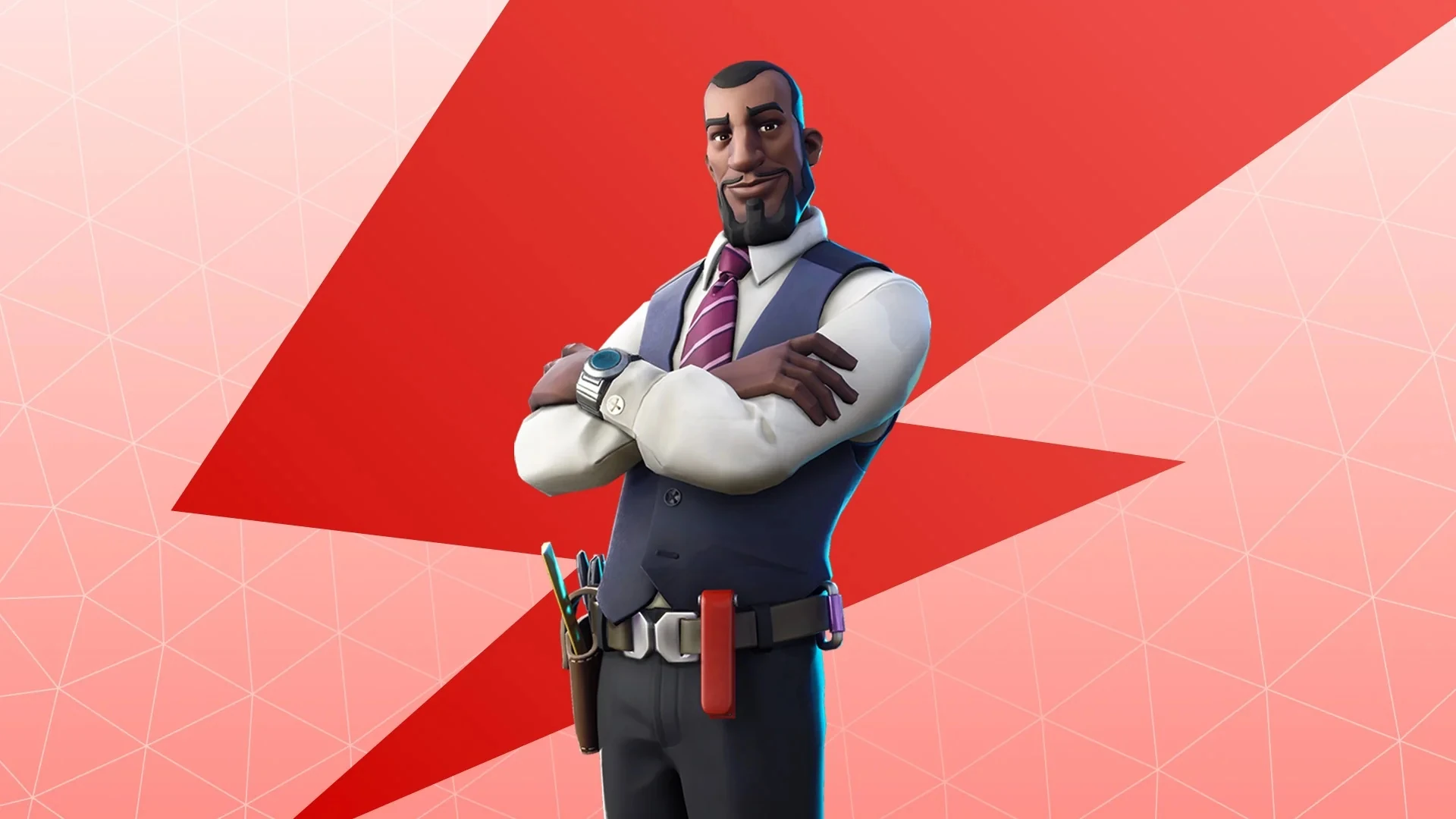
The Yarrr’s Return Questline sails back in from May 14 to June 17, sending you on a tropical adventure to help Blakebeard’s ghost earn his place among the other ghost pirates. Complete the Quests to earn Spring Tickets, Gold and unlock Director Riggs - a Legendary Constructor Hero.
Standard Perk: Direct Threat
Goin’ Constructor eliminations extend its duration by 1 second, up to a maximum of 10 eliminations.
Commander Perk: Direct Threat+
Goin’ Constructor eliminations extend its duration by 2 seconds, up to a maximum of 10 eliminations.
✅ Save the World Bug Fixes & Improvements
✅ Save the World Bug Fixes & Improvements[]
Matchmaking[]
- No-Fill parties no longer automatically disband after completing a Mission
- Fixed an issue preventing some players from loading into Save the World while in a party
- Fixed an issue preventing new party members from joining if the party leader canceled matchmaking or abandoned the previous Mission Lobby
Homebase[]
- Equipped weapon's ammo counter now updates correctly when crafting ammo in Homebase
- Adjusted the Exchange tab lighting to improve the X-Ray, Loot and Items tabs' visibility
- Sidekicks are no longer blocking menu visibility when interacting with Homebase menus
- Fixed text overflow in Homebase (e.g. Survivors Saved counter) when using languages other than English
- Fixed inconsistent music volume on the World Map in Homebase
- The Music - Lobby slider now respects your latest input while inside Homebase
Gameplay[]
- Defenders now stay equipped in the Hero Loadout slot they were originally assigned to
- Defenders will no longer block you in small spaces and narrow passages
- Fixed an issue with the Dragon Slash sword sometimes being invisible to other players in the Mission
- [Survive the Horde] Husks should have less difficulty navigating terrain in the Mine area
Environment / UI[]
- Fixed display name inconsistency when entering Save the World on Xbox
- Added a new Storm Shield tab to the top of the Inventory menu, allowing you to change Storm Shield permissions without needing to go to the console to do so
- You are now shown and granted rewards based on progress in your current Storm Shield Endurance if you leave the run through the Social sidebar
- The Shop sidebar no longer prevents you from seeing the current offer and closes when not actively interacted with
- Seagulls flying above Scurvy Shoals now look like proper seagulls (i.e. their models no longer appear exploded)
- Resized a looooong "Party does not have sufficient Power Rating" message and moved it to a different screen
For other fixes, improvements and known issues in v40.40, check out this post.
We’re keeping an eye on reports across social media and community spaces - please keep them coming as we work to fix them.
See you in the new game update!
The Save the World Dev Team
Fortnite Festival v40.40 Update Notes
Update v40.40

| Date |
|---|
| May 14th 2026 |
| Previous |
|---|
| Update v40.40 |
Fortnite Festival v40.40 Update Notes[]
Hi everyone! This update brings a new set of fixes and improvements for Karaoke, Local Multiplayer, connected devices and overall performance. Read on for more details:
✅ Fortnite Festival Bug Fixes & Improvements
✅ Fortnite Festival Bug Fixes & Improvements[]
- Improved Fill / No Fill behavior when joining Festival matches
- Improved microphone detection for Karaoke across all platforms
- Polished UI layout in Local Multiplayer to better accommodate Karaoke
- Fixed an issue where the Karaoke break timer would overlap other instrument tracks during Local Multiplayer
- Fixed an issue where the Overdrive visual effect would linger on notes that had been missed
- Controllers and instruments connected after the game has launched are now detected properly
- Input from MIDI devices now keeps the system awake, preventing Sleep Mode from kicking in
- Addressed performance hitches and stuttering that could occur while using Jam Loops
For other fixes, improvements and known issues in v40.40, check out this post.
We’re keeping an eye on reports across social media and community spaces - please keep them coming as we work to fix them.
See you in the new game update!
The Festival Dev Team
Fixes and Known Issues in v40.40
Update v40.40
| Date |
|---|
| May 14th 2026 |
| Next |
|---|
| Update v41.00 |
Fixes and Known Issues in v40.40[]
Last Updated on May 15
General
General[]
- Fixed an issue where Quests currently available in the Quests tab incorrectly appeared as completed
- Laufey’s dress moves more consistently, and won’t block your visibility as much while playing
- You can again join other players’ group Emotes (e.g. Shock Grip, Death Rockers)
- Kafka’s Sword no longer creates a bright flash when hitting objects at high FPS in Performance Mode
- Fixed Ohm’s Perch Back Bling animations not playing after gliding for the first time in a match
PC
PC[]
- Performance Mode now automatically chooses the best DirectX rendering path for your device to improve stability and performance
- Slightly improved game startup times on some NVIDIA video cards by reducing DLSS initialization time
- Auto Super Resolution now scales correctly at more fullscreen resolutions on supported ARM laptops
- Improved texture rendering on the Intel HD 5500 video card in Performance Mode
Mobile
Mobile[]
- Improved aim assist on touch input so it’s easier to track and hit distant or fast-moving targets while aiming
- You can now tap the Exit button instead of needing to hold it to leave Vehicles
- Tapping the Self-Throw button now throws items at your feet instead of showing the throwing arc
- Auto-Interact now correctly opens chests while running toward them
- You'll no longer accidentally re-enter Ziplines after hopping off when Auto-Interact is enabled
- Resolved a file corruption error that appeared when updating the game on some iOS devices
- Graphics quality settings no longer reset after dropping into a BR match
- Resolved an issue where the FPS setting wouldn't save after a game update on some iOS devices
- Reduced Megara’s dress clipping when previewing the Outfit in the Locker
- The Omnitrix Pick's Ampfibian Style now displays consistently after emoting on some Android devices
- Resolved a delayed text chat resizing when sending long messages quickly
- The Back button now appears correctly after reaching the end of a conversation, no longer skipping the last dialogue line
- Added a missing Confirm button when a player has 0 currency and no items selected
Battle Royale & Zero Build
Battle Royale & Zero Build[]
- Being eliminated from DBNO while self-reviving no longer causes the camera to get stuck after rebooting
- You can again sprint out of a crouch after hurdling through a window
- You can again scroll through Quest categories without the Quest bar collapsing automatically
Note: Shoulder Riding will remain disabled for now, but we'll let you know if it returns in the future.
Reload
Reload[]
- You should no longer see inverted controls and camera jitter when loading into Elite Stronghold in Unranked
- Resolved an issue in Unranked where the safe zone of the circle and the Storm were not accurately displayed
- The Grappler has been re-enabled, and using it after sliding should no longer cause hitches
- AoE effects now properly apply within certain bushes
- Fixed an issue where damage numbers showed individual hits instead of the cumulative damage number format
Arenas
Arenas[]
- Made additional matchmaking improvements
- Fixed an issue in Duos where rounds wouldn’t properly grant a win if two Solo players were about to create a Duo team merge
- Fixed an issue where players could be respawned multiple times in quick succession at the end of a round, impacting game performance
- Added missing sound effects when opening and closing the Leaderboard
Fortnite OG
Fortnite OG[]
- The Baller's grappling hook now pulls the Vehicle at the intended speed
- The Baller's falling speed now matches Chapter 1 values
- Fixed an issue where players could clip through lava and end up below The Volcano
- Snow near Polar Peak now blends correctly with the surrounding area and no longer sticks out
- The two chests near the RV Park and Lonely Lodge no longer float on lower-end devices
Save the World
Save the World[]
- No-Fill parties no longer automatically disband after completing a Mission
- Fixed an issue preventing some players from loading into Save the World while in a party
- Fixed an issue preventing new party members from joining if the party leader canceled matchmaking or abandoned the previous Mission Lobby
- Added a new Storm Shield tab to the top of the Inventory menu, allowing you to change Storm Shield permissions without needing to go to the console to do so
- You are now shown and granted rewards based on progress in your current Storm Shield Endurance if you leave the run through the Social sidebar
- Equipped weapon's ammo counter now updates correctly when crafting ammo in Homebase
- Defenders now stay equipped in the Hero Loadout slot they were originally assigned to
- Defenders will no longer block you in small spaces and narrow passages
- Sidekicks are no longer blocking menu visibility when interacting with Homebase menus
- Adjusted the Exchange tab lighting to improve the X-Ray, Loot and Items tabs' visibility
- The Collection Book area no longer appears empty at Collection Book Level 1,000
- Fixed text overflow in Homebase (e.g. Survivors Saved counter) when using languages other than English
- Fixed inconsistent music volume on the World Map in Homebase
- The Music - Lobby slider now respects your latest input while inside Homebase
- The Shop sidebar no longer prevents you from seeing the current offer and closes when not actively interacted with
- Fixed an issue with the Dragon Slash sword sometimes being invisible to other players in the Mission
- [Survive the Horde] Husks should have less difficulty navigating terrain in the Mine area
- Seagulls flying above Scurvy Shoals now look like proper seagulls (i.e. their models no longer appear exploded)
- Fixed display name inconsistency when entering Save the World on Xbox
- Resized a looooong "Party does not have sufficient Power Rating" message and moved it to a different screen
LEGO Fortnite
LEGO Fortnite[]
- Fixed an issue where the landscape could be missing when using the Klom Home Potion, Bus Travel, or direct teleports to the Monastery
- You can now collapse the tracking HUD when using a controller
- The Jump button now responds correctly after exiting Fly Mode
- Fixed an issue where some players weren’t able to pick up items
- Vehicles can now be used near a specific area on the map
- Fixed an issue where players would hold a Pickaxe instead of their equipped item
- The unblocked recipes in the Mastery Tree are appearing correctly on the crafting bench
- Thrusters are no longer incorrectly mapped to the same joystick
- The Storm Crawler now drops rewards accordingly after being defeated
- Airship cannons now correctly highlight when viewed with a wrench
Fortnite Festival
Fortnite Festival[]
- Improved Fill / No Fill behavior when joining Festival matches
- Improved microphone detection for Karaoke across all platforms
- Polished UI layout in Local Multiplayer to better accommodate Karaoke
- Fixed an issue where the Karaoke break timer would overlap other instrument tracks during Local Multiplayer
- Fixed an issue where the Overdrive visual effect would linger on notes that had been missed
- Controllers and instruments connected after the game has launched are now detected properly
- Input from MIDI devices now keeps the system awake, preventing Sleep Mode from kicking in
- Addressed performance hitches and stuttering that could occur while using Jam Loops
🛠️ Known Issues We’re Working On
🛠️ Known Issues We’re Working On[]
General[]
- The Build/Zero Build toggle may not appear on first launch in Battle Royale and Reload
- Select another experience where you can choose modes, pick one and return to Battle Royale or Reload to make the option appear
- Fixed in 41.00
- Magik’s bangs appear shorter than expected
- Fixed in 41.00
- Doodle-Doo’s crest and wattles may display noticeable jitter
- Fixed in 41.00
Battle Royale & Zero Build[]
- Some players may not enter first-person mode when wielding Tracer's Pulse Pistols
- Glider may not deploy after interacting with Rifts, Launch Pads or Zero Dashes
- The stamina bar may remain orange as if the Slap effect is active, even after it has ended
- Switch between your weapons and Pickaxe to fix this
- Fixed in 41.00
- In Ranked matches, the stamina bar may remain white instead of turning orange when the Slap effect is active
Fortnite OG[]
- Terrain around Frosty Flights may appear missing or not render correctly at long distances
- Fixed in 41.00
Save the World[]
- We’re investigating inconsistent weapon damage output, particularly during Mythic Storm King fights
- Arrows shot above a downed Defender may get blocked by an invisible collision
- Fixed in 41.00
- “New item” label persists even when all new items have been seen
- To remove the “!” labels, re-enter the tab after clearing
- The Ancient's Launcher fires instantly after aiming
- [Simple Edit] UI does not update to reflect the reset after editing a structure
- [Xbox One] Directional Jump Pads won’t activate when Phase Shifting onto them
- The Hero Commander Buckle+ Perk currently provides reduced effective damage as weapon level increases
LEGO Fortnite[]
- The health bar will be adjusted to remain visible at all times during combat, even when the player is at full health
- Exiting a vehicle now requires holding the exit button instead of a single press. Input bugs related to exiting vehicles will be resolved in a future update with a move back to a single press
- In a future update, Zeppelin Balloons and Hot Air Balloons will be fully customizable per channel using the wrench tool. For now, they'll default to channels 5 and 6 until that update rolls out
- Sometimes Hover Bricks get confused, and your vehicle might appear to drift slowly upward into the sky - this is visual-only
- Walk over to where your hovercraft was before it started floating off, hop on, and the position will snap right back into place
Fortnite Festival[]
- The first guitar input after an Emote break can register as two separate inputs
- Average offset values for Pro Drums may not display accurately
- Turning off Show Lift Note Connectors can also hide roll and swell lanes on Pro Drums
- Disco Flip is being applied to lower difficulties where it shouldn't appear
- The green fret on the guitar peripherals can stop responding during Local Multiplayer
- Pro Drums + Cymbals scoring is not applying correctly after restarting a song
- Fixed in 41.00