
Overview


At Emperor Palpatine’s command, the Death Star's superlaser is charged and ready to decimate the Battle Royale Island. But there’s still hope! Join the fight in the Season-ending live event Death Star Sabotage on Saturday, June 7, 2025, at 2 PM ET!
How To Join The Event
How To Join The Event[]
It’s time to get organized. Intel states that you’ll have a short window of time on June 7 when the Death Star will be most susceptible to attack. Here’s how to join the sabotage:
- The event starts June 7 at 2 PM ET, but we recommend getting there early! “Death Star Sabotage” will be a tile in the top row of Discover starting at 12 PM ET. Jump in and pilot an X-wing or Imperial TIE fighter while you get ready for the event to begin — once the countdown reaches zero, you'll be on your way to Death Star Sabotage!
- Invite your friends: the event supports parties of up to four players!
- Won’t be near a dedicated gaming device during the event? Fortnite is available worldwide on Android, on iPhone and iPad in the United States through the App Store, and on iPhone and iPad through the mobile Epic Games Store in the European Union.
- Alternatively, the Xbox Cloud Gaming, NVIDIA GeForce NOW, and Amazon Luna services let you play Fortnite via cloud streaming on your computer or mobile device!
Steel Yourself For The Sabotage
Steel Yourself For The Sabotage[]
Before the Death Star Sabotage, the GALACTIC BATTLE approaches its end with special log-in rewards for all players. Log into Fortnite between June 3 at 9 AM ET and June 10 at 9 AM ET to immediately receive the Assault on the Death Star Loading Screen and Captain Phasma’s personal melee weapon: the Quicksilver Baton Spear Pickaxe!

Can't wait for the event? Squad up and take over a Star Destroyer in the meantime...
Star Destroyer Bombardment
Star Destroyer Bombardment[]
There's no hiding from the awesome power of a Star Destroyer’s Turbolaser. Luckily, the power is in your hands! Starting May 29 with the release of v35.20, a rift gate will spawn in Battle Royale and Zero Build matches. Be the first to find and use it, and you'll be transported to the capital ship (along with any teammates) where you’ll be able to rain down destruction from above!

Players on the ground below will see the Star Destroyer slowly strafing in a straight path overhead. Its cannons instantly destroy structures and deal significant damage to anyone struck by a direct hit, so be careful if you weren’t lucky enough to become a pilot! When the ship reaches the end of its path, its pilots will be ejected and rift back to the battlefield.

Join The Galactic Battle On Twitch
Join The Galactic Battle On Twitch[]
As the end event draws near, our new Twitch extension “Galactic Battle” will be available starting May 29. If you watch Fortnite on Twitch, be on the lookout for Fortnite items appearing on participating creators’ streams! Complete your item collection on Twitch to earn a bundle of five Sprays, each representing a Star Wars faction:

To get started, check out the Twitch stream of any participating creator. If the creator has enabled the extension, catch different Fortnite items by clicking on them during the stream! (The items you catch on the stream are only visual and will not appear in your Fortnite Locker.)
Hope your aim is better than a stormtrooper's: you only have a limited time to click and catch the items. If you don’t, they’ll disappear and you’ll need to wait for them to show up again! You can see a list of all the items you’ve caught in the Collection tab of the extension. Once you complete your collection on Twitch, you’ll be rewarded with the five Sprays.
For us to send the Spray rewards, make sure you’re logged in with your Twitch profile and have connected your Epic account. Also, just by connecting your Twitch and Epic accounts, you’ll earn the Darth Jar Jar Emoticon! Connecting can take up to 60 minutes to process.

Start A Takeover[]
When a channel’s community collects a certain number of items (visible as a progress bar within the extension), the creator can select another channel that has the extension enabled to initiate a Takeover and steal its items! Don’t worry — the items won’t be stolen from your Collection tab.
The channel being taken over will see Fortnite vehicles flying all over the stream with Twitch profile names from the taking-over community. However, the defending community can fight back and slow down the item loss by spamming the :DarthJarJar: emote in chat! The more :DarthJarJar: emotes they spam, the faster the Takeover will end. We have spaken.
Reach The Community Goal[]
Every item collected in the Galactic Battle Twitch extension contributes to the community goal. Once the community goal is reached, anyone who collected at least one item will get the Galactic War Loading Screen in Fortnite! Be sure to watch closely once the community goal is reached — you might get a jump on what's coming in Death Star Sabotage!

After you’ve earned the Sprays, Emoticon, and Loading Screen, each will be granted to your connected Epic account within 30 days.
The time is nigh to take down the Empire’s superweapon from the sky — sabotage the Death Star on June 7 and put an end to Emperor Palpatine’s wretched plan!
Section
Update v35.20
| Date |
|---|
| May 29th 2025 |
 Previous Previous |
Next  |
|---|---|
| Update v34.30 | Update v36.10 |
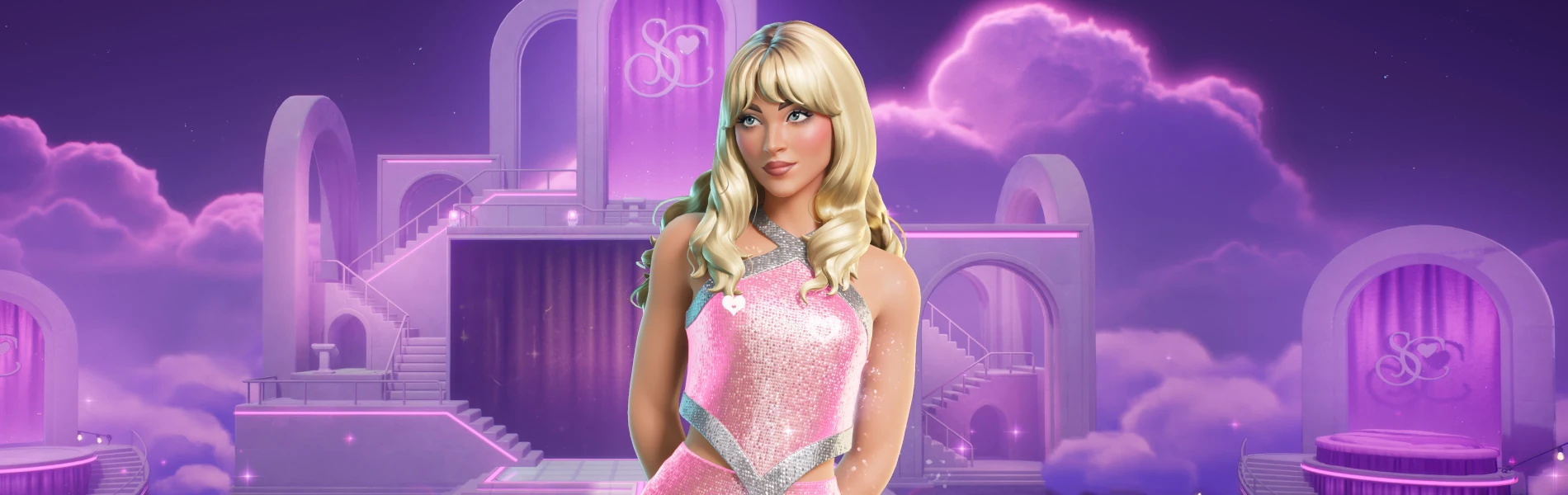
Join the camaraderie — you’re cordially invited to jump onstage with Sabrina Carpenter in Fortnite! Hit some dance moves to help Sabrina’s Jam Stage takeover from May 30 at 3 PM ET until June 16 at 11:59 PM ET. Dance well enough, and you’ll be hired to help run the show!
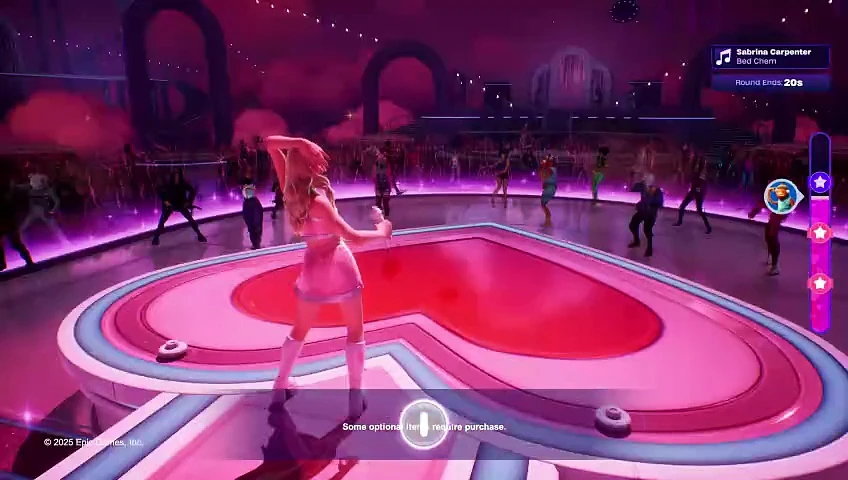
Stage and set design by Stufish Entertainment Architects.
Sabrina, Even Sweeeter
Sabrina, Even Sweeeter[]
Join Dance With Sabrina from Discover (in the “By Epic” row) and you’ll be transported to an oh so sweet and cozy Sabrina Carpenter performance! Got rhythm? Prove it by dancing to the beat of Sabrina’s songs like Bed Chem and Espresso.
As you match the beat, your heart meter will fill. At the end of each song, if you’re one of the dancers with the most heart, you’ll get a chance to contribute to the show as the Dance Leader, Special Effects Pro, or Video Artist!

As the Dance Leader, you’ll use your Emotes to lead Sabrina’s backup dancers. If you're the Special Effects Pro, you can fire off visual effects to match the vibe as you see fit — time them well for maximum impact. If you’re the Video Artist, you’ll get to choose the backdrop for the show, customizing how it looks for everyone watching. When it's time for the next track, top dancers who haven’t had one of these roles yet will get priority!
Eat your heart out: the players who match the most beats during the whole show will get bragging rights when they appear side-by-side with Sabrina in the finale snapshot.
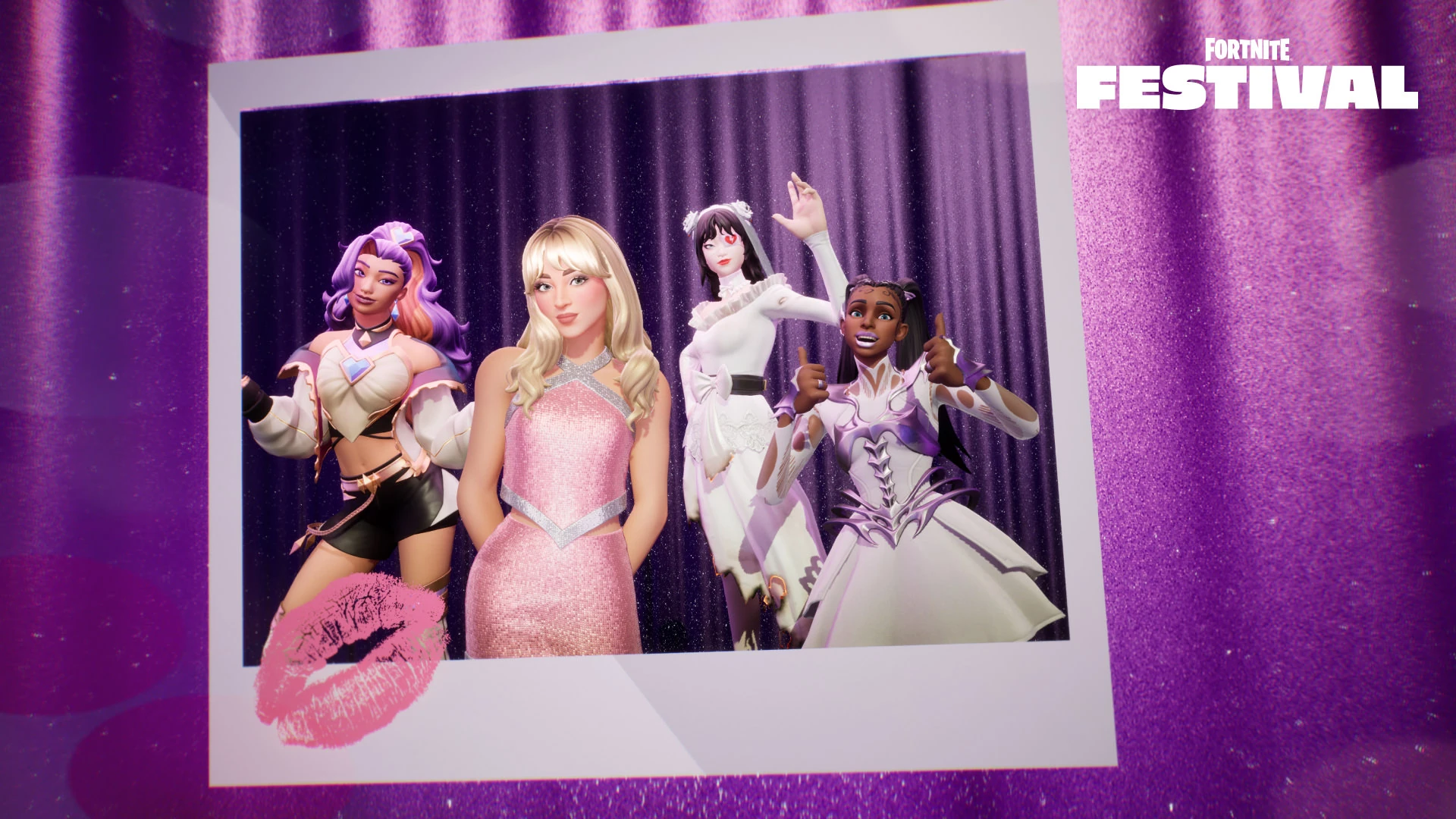
Manifest The Bed Chem Bundle
Manifest The Bed Chem Bundle[]
New show, new Sabrina goodness. The Bed Chem Bundle arrives in the Fortnite Shop on May 29 at 8 PM ET, featuring the Bed Chem Jam Track and Bed Chem Emote. We’re obsessed.

Dance with Sabrina until Fortnite Festival Season 8 ends June 16! Are you a content creator? Check out the PSA below:
Dance With Sabrina Content Creation
Dance With Sabrina Content Creation[]
Content Creators in the Support-A-Creator (SAC) program will be able to monetize VODs of Dance with Sabrina on YouTube until June 6 at 3 PM ET. No takedown notifications should occur during this time window.
More info:
- In order to monetize your Dance with Sabrina content, you need to link your YouTube and Support-A-Creator accounts.
- IMPORTANT: When uploading the content to YouTube, be sure to upload it as Unlisted or Public. If you upload the video as Private, it's possible you could receive a monetization claim on your video.
- For uploading the content on other platforms, refer to the channel’s platform policies for tips on how to avoid copyright strikes.
Although unlikely, if you do receive a claim on any SAC content, there may be a short delay in YouTube processing the release of the claim. During this time, please do not dispute the claim.
Not in SAC? Don’t worry, you can still share your highlights from the experience. However, you will not be able to monetize this content on YouTube.
Please note: For Twitch creators streaming Dance with Sabrina, we cannot prevent your VODs or clips from getting flagged by third-party copyright detection systems. The general recommendation is to disable VODs/clips when streaming the experience. For more information, see Twitch’s DMCA & Copyright FAQs help page.
Section
Update v35.20

| Date |
|---|
| May 29th 2025 |
| Previous |
Next |
|---|---|
| Update v35.00 | Update v36.00 |
Commanders! We've prepared an overview of the latest QoL improvements and fixes that came with the v35.20 update. Check out the details below:
Updates and Improvements
Updates and Improvements[]
Squad Comms Wheel Update[]
It's happening! We're thrilled to announce that the revamped Squad Comms Wheel has arrived in Save the World. We've rebuilt the comms system to bring it in line with the current Battle Royale design and improve overall player communication as a result.
Each command will now automatically:
- Ping a location in the world or the player sending the message.
- Display a clear icon above the sender's head.
- Send a message directly to the Text Chat.
The available commands are:
Ready, Defend Here, Help, Follow Me, Loot Area, Attack, Thank You, Hold On
Whether you're defending an objective, calling for backup or simply wanna share some nice loot with others, the new Squad Comms Wheel lets your team stay sharp and in sync.
Head to the 'Communication' section in your Settings tab to view the bindings for your specific configuration!
Bug Fixes
Bug Fixes[]
- Progressing certain Quests’ objectives no longer causes crashes on PC.
- Defenders can again use the Dragon's Claw and Dragon’s Breath weapons.
- Fixed an issue that allowed Buildasaurus Rex to be completed prematurely.
- Corrected the ability keybind layout for the Combat/Builder Pro controller configuration.
- Removed the duplicate HUD when entering R.O.S.I.E. for the second time.
- The ammo tracker HUD near the crosshairs now correctly tracks the remaining ammo on R.O.S.I.E.
- Starting a Mission after viewing the 'Llamas' tab no longer triggers the unintended Llama sound effect.
- Updated the 'Walk the Plank' Yarrr! Quest text to reflect the correct biome.
- The Nyan Claws Pickaxe now uses the intended dual-wield swing animation.
- Fixed an issue that caused Gadget preview videos to freeze after 5-10 seconds of playing on PS4 and PS5.
A quick heads-up: To resolve an issue, we’ve temporarily disabled Jam Loops at the Results screen - they'll return in the next planned game update.
Thanks for sticking with us and continuing to share your feedback! If you run into any issues or have additional thoughts on the Squad Comms Wheel, jump in the comments and let us know what’s on your mind!
Section
Update v35.20

| Date |
|---|
| May 29th 2025 |
| Previous |
Next |
|---|---|
| Update v35.10 | Update v36.00 |

Hey Speedsters! Here’s a quick overview of the fixes included in the 35.20 update:
Bug Fixes
Bug Fixes[]
- Fixed terrain overlap and clipping into roads across several tracks.
- Resolved an issue causing some players to get stuck on an infinite “Connecting” screen when loading into Ranked Racing.
- Vehicles are no longer stuck in an endless respawn loop if demolished between the pipe and the waterfall after Checkpoint 10.
- The race timer is no longer missing when spectating players in Speed Run.
- The matchmaking widget is no longer blank when selecting the Aero track in Speed Run.
- Fixed an inconsistency where some canyon textures appeared lighter than others on Mobile.
- The Firecrack Trail/Boost now shows its Style description on the Quest reward screen.
- The Flatcap Sky Blue Wheel now displays the correct item icon.