Overview
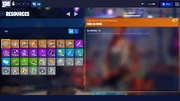
The Armory tab is a menu in Fortnite: Save the World that serves as an overview of the player's schematics and inventory.
Schematics
Schematics[]

 Main Article: Schematics
 The Schematics section is dedicated to Schematics owned by the player. In this area, players can manage, upgrade, perk-up, and promote their Schematics.
Backpack
Backpack[]

The Backpack section displays the player's main-game backpack with the following sections, and allows them to craft these:
Players cannot view their Ventures Backpack here.
Storage
Storage[]

 Main Article: Storage
 The Storage section provides easy access to transfer items from the player's Backpack to their Storm Shield Storage, or vice versa.